
photos.chat vs. Kululu.com: Which Live Photo Wall Fits Your Event?
A clear, side-by-side look at how photos.chat and Kululu handle live TV walls, photo editing, remote family access, and guest uploads.
Quick Summary
Both photos.chat and Kululu let guests share event photos without downloading an app. Where they differ is what happens after a guest takes a picture: photos.chat gives you a real-time Photo Editor role to fix dark or crooked shots before they hit the TV, a separate in-room Moderator role, live TV layout switches, and 4-digit PIN access so far-away family can watch on their home TV.
- No app needed on either platform — guests open a web link or scan a QR code.
- photos.chat adds a dedicated Photo Editor passcode so a helper (or a remote freelancer on Fiverr) can crop, straighten, brighten, and frame guest photos live.
- photos.chat separates the Host, in-room Moderator, and remote Photo Editor roles so helpers never touch your event settings.
- Far-away family can join photos.chat from their own living-room TV using a 4-digit PIN, and their uploads show a warm "From Afar" tag on the venue screen.
- Hosts and moderators can live-toggle the TV layout at any moment — hiding the QR code, thumbnails, or chat drawer, or switching to 100% fullscreen photo mode.
Side-by-Side Comparison: photos.chat vs. Kululu.com
| What Matters at Your Event | photos.chat | Kululu.com |
|---|---|---|
| Guest upload from phone browser (no app) | Included on all events | Included on all events |
| Built-in live Photo Editor role (crop, straighten, brighten, frames) | Dedicated Editor passcode (works in-room or remotely) | Not included — photos appear as uploaded |
| Video clip trimming before TV playback | Built-in start/end video trim in browser | Not included |
| Separate in-room Moderator passcode + TV connection light | Included — approve photos, run games & check TV status | Host account required for moderation |
| Remote family home TV viewing with 4-digit PIN & "From Afar" badge | Built-in PIN entry + automatic "From Afar" tag | Standard link sharing only |
| Live TV layout controls (toggle QR, thumbnails, chat left/right, fullscreen) | Instant 1-click toggles from Host or Moderator screen | Fixed slideshow template layouts |
| Live table photo games & full-screen toast announcements | Built-in timed table games, scoreboard & pause banners | Static slideshow display |
| Occasion & cultural background looks (Weddings, Celebrations of Life, Parties) | 10 curated cultural & occasion themes | Standard color/background picker |
1. Making Guest Photos Look Great on a Giant TV
At a real wedding, birthday party, or dinner, guests take pictures in dim lighting or at tilted angles. When those raw phone pictures go straight onto a 75-inch TV, dark shadows and messy tables can distract from the moment.
photos.chat solves this with a separate Photo Editor role. You can share the Editor passcode with a cousin at the party or hire a photo editor on Fiverr for a few hours. They can crop out clutter, straighten tilted horizons, brighten dark indoor shots, and wrap photos in Polaroid or warm frames before the room sees them — while keeping every original photo untouched for your final download.
2. Sharing the Load: Host vs. Room Moderator vs. Photo Editor
When you are hosting a celebration, the last thing you want to do is stare at a laptop approving uploads. On Kululu, managing the wall generally means logging in with the main host account.
On photos.chat, every event automatically creates three separate passcodes: one for you (the Host), one for your Moderator sitting near the TV in the room, and one for your Photo Editor. If two teenage cousins sit near the screen with a laptop, they can approve uploads, launch a table photo game, and check the green TV connection light without ever having access to delete your event.
3. Adaptable TV Layouts for Every Setting
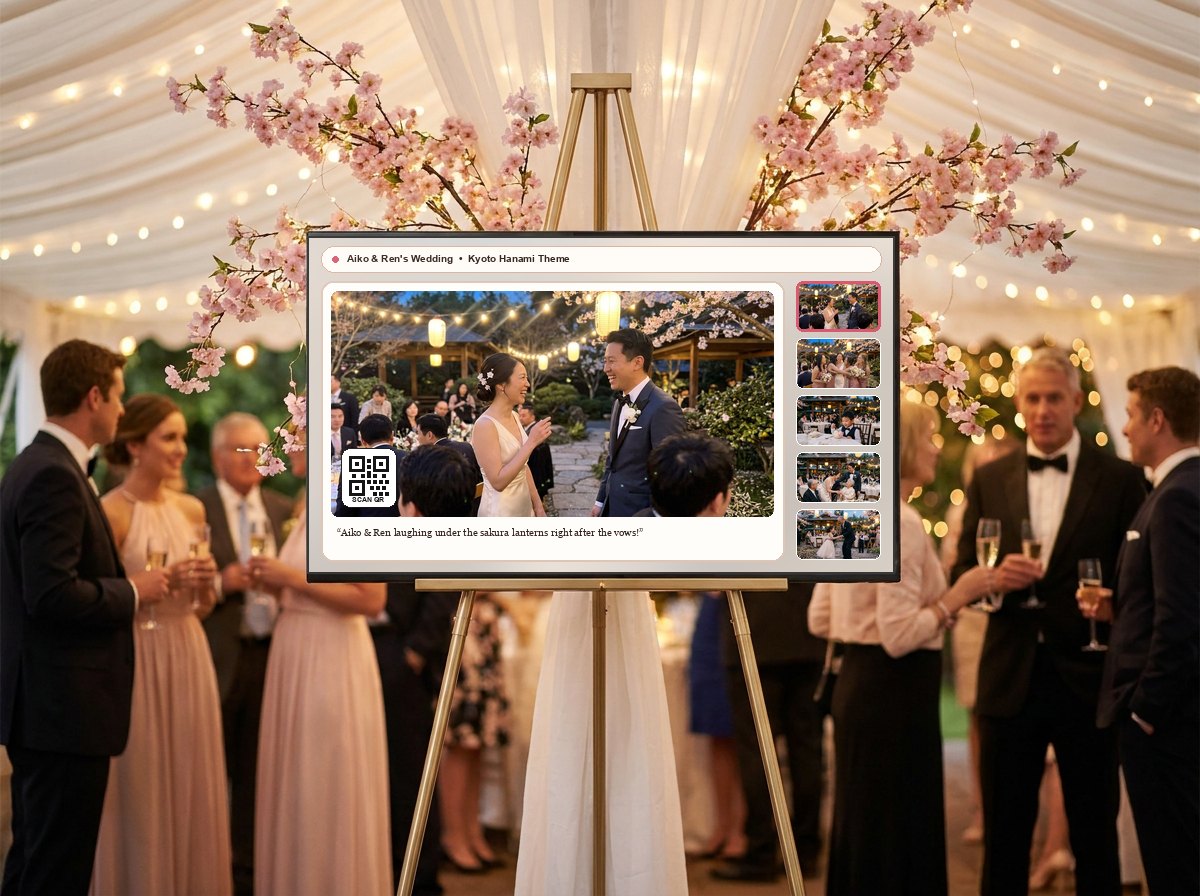
Not every gathering wants the same screen layout. A wedding reception might look best on a brass easel with a warm light theme and right-hand thumbnails. A Celebration of Life often calls for a quiet candlelight frame with guest memories on the left and no QR code on screen. A house party or DJ night might want 100% fullscreen photos.
With photos.chat, you or your moderator can turn the QR code, photo comments, thumbnail strip, and chat drawer on or off live from your phone without refreshing the TV.
4. Bringing Far-Away Family Into the Room
Grandparents or relatives overseas often cannot travel to the venue. photos.chat lets you set a simple 4-digit PIN so remote family can open the live TV wall on their own living-room television at home. When they upload a photo or send a wish from their couch, the venue TV automatically marks it "From Afar" so everyone at the party knows they are watching together.
Common Questions
Do guests need an app on either photos.chat or Kululu?
No. Both platforms work directly inside the phone browser when a guest opens your event link or scans a QR code.
Can I switch my TV layout during the party on photos.chat?
Yes. You or your moderator can hide or show the QR code, thumbnail strip, captions, and chat drawer in real time, or switch to full-screen photo mode in one tap.